
How Do I Get Wrinkles and Sag Out of My Golf Simulator Screen?
Screen wrinkles come from shipping folds, uneven edge tension or a frame out of square. How to find the cause and fix it without adding bounce-back.
Wrinkles and sag in a golf simulator screen almost always come from one of four things: fold lines from shipping, uneven tension around the edges, a frame that is not square, or a bottom edge with nothing holding it straight. Give fold lines time and gentle steam, set tension in the right order (top first, bottom last and lightest), check the frame, and add a weight along the bottom. Do not just crank everything tighter. That flattens the picture but makes balls bounce back harder.
From our experience We ship our screens folded to save on shipping. Customers hang them taut, then a day later go over the creases with a handheld steamer, which removes most of the wrinkles. Our triple-layer screens, the Elite and High Contrast Elite, are made from a spacer fabric, and on those the wrinkles that remain can be steamed out as well. Our single-layer screen does not use spacer fabric.
What owners actually see
Owners on simulator forums describe the same handful of problems, over and over:
- Straight crease lines across the screen, often in a grid, right out of the box.
- Diagonal ripples running from a corner toward the middle.
- A wavy or puckered strip along one edge, usually near the bungees.
- Bunching and lumps at the bottom where extra fabric lies on the floor or the corners are loose.
- A soft dip or ripple in the middle of the screen, right where the ball hits.
- A screen that looks fine until a few shots in, then shifts and needs smoothing again.
Each has a different cause, so identify yours before changing anything. Most owners say small creases fade once the image is up. If you only notice one with the lights on, it may not be worth fixing.
Why screens wrinkle and sag
1. Fold lines from shipping
Most screens ship folded or rolled, and a tightly folded screen holds those lines when first hung. These creases are straight and form a regular pattern. They are the most common complaint from new owners, and the easiest to fix.
2. Uneven tension around the edges
A screen is held flat by the pull at its edges. If one side pulls harder than the other, the fabric forms diagonal ripples between the strong and weak points. If attachment points are spaced far apart, each one pulls the fabric into a small peak, and the edge goes wavy between them. Punched grommets can make this worse, because each one is an isolated load point rather than an even pull along the edge.
3. A frame that is not square
The screen can only be as flat as the opening it hangs in. If the frame is slightly out of square, or a pipe is not fully seated in its fitting, one diagonal is longer than the other. The screen stretches more across that diagonal, and a ripple forms across the other. Screen makers list this as one of the first things to check.
4. Nothing holding the bottom straight
Many owners leave the bottom edge loose to cut bounce-back, which is a good instinct. But a bottom edge with no weight and no anchors lets the corners curl, lets extra fabric pile up on the floor, and lets the screen shift after a few shots. Lumps at the bottom are often just excess material with nowhere to go.
5. The screen is the wrong size for the opening
A screen much bigger than the frame has excess fabric that bunches and pulls unevenly. One that is too small needs long, tight connections at every point, which magnifies any uneven pull. The best order is screen first: design the screen to your projector's aspect ratio, then build the frame around it. If the frame already exists, have the screen made 3 to 5 inches smaller than the opening in both width and height. That leaves an even gap on every side for ball bungees or straps to pull the screen tight, without excess fabric to bunch up. The gap itself can then be closed with gap fillers or frame bumpers, which also cover the frame so balls do not hit bare metal.
6. The fabric giving where the ball hits
A screen has to stretch to absorb a golf ball. Some fabrics recover fully after every strike. Others, especially thin or very stretchy ones, develop a soft area in the main hitting zone, or briefly show the mark of the last strike. Tension alone cannot fully fix fabric that has stretched.
Find your cause first
Turn on the room lights, turn off the projector and stand at the tee. Then use this table.
| What you see | Most likely cause | First thing to try |
|---|---|---|
| Straight crease lines in a grid | Shipping folds | Time and gentle steam |
| Diagonal ripples from one corner | Uneven tension or a frame out of square | Measure the frame diagonals; rebalance tension |
| Wavy edge between attachment points | Points spaced too far apart, or isolated load points | Add points or switch to a continuous edge finish |
| Lumps and bunching along the bottom | Excess fabric or loose corners | Fix the corners; add a weighted bottom; trim or tuck excess |
| Screen shifts after a few shots | Hung from the top only | Anchor the corners and sides lightly |
| Soft dip in the middle where balls land | Fabric stretching at the strike zone | Add a backer; consider a screen with better recovery |
How to fix it, step by step
Change one thing at a time and check the result before moving on, or you will not know which change worked.
Step 1: Give fold lines time
Fold lines often relax on their own once the screen is hanging under light tension. Screen makers say this can take from a few days to a few weeks, depending on how long the screen was folded. Hang it, set light, even tension, and wait before you tighten anything further.
Step 2: Steam stubborn creases gently
You do not have to wait weeks to steam. Once the screen has hung under even tension for a day, a handheld clothes steamer takes out most remaining creases. Several screen makers suggest distilled water, so minerals do not leave spots on the surface. Keep the steamer moving, hold it a few inches off the fabric, and test a corner first. Do not use a clothes iron or a heat gun unless your screen maker says it is safe; heat can damage the coating or the fabric. Always follow the care instructions that came with your screen.
Step 3: Check that the frame is square
Measure the opening corner to corner in both directions. The two diagonals should match. If they do not, fix the frame before touching the screen tension, or you will be fighting the frame forever. On pipe frames, check that every pipe is fully seated and every set screw is tight.
Step 4: Re-hang in the right order
Tension order matters as much as tension amount.
- Top first. The top carries most of the screen's weight. Attach it evenly from the center out, so the screen hangs straight.
- Top corners, then bottom corners. This sets the shape of the screen.
- Sides next. Work from the top down, alternating left and right, so neither side pulls harder.
- Bottom last and lightest. The bottom keeps the screen straight and keeps balls from rolling under. It should not pull the screen tight.
Aim for even tension everywhere, not maximum tension anywhere. One point pulling harder than its neighbors makes a ripple.
Step 5: Add weight along the bottom
A weighted bottom holds the screen straight without tight bungees. Owners use a rod or pipe in a sewn bottom pocket, sometimes wrapped in foam so it is softer when struck. A heavy steel pipe keeps the screen very taut, but some owners found it made bounce-back worse, and switched to a lighter rod. A screen with a sewn rod or chain pocket makes this simple. See how to keep balls from getting under the screen for how the bottom edge also controls rollers.
Step 6: Deal with excess fabric
Extra fabric needs a clean home. Some owners roll the excess onto a tube behind the screen, which also lets them shift the hitting area later as the screen wears. Fabric left lying on the floor is the most common cause of lumps at the bottom. The long-term fix is a screen made to size.
Step 7: Do not over-tighten to chase the last ripple
This is the trap. A drum-tight screen looks perfectly flat with the lights on, but it acts like a trampoline. Balls come back harder and the screen wears at the edges. The goal is just enough tension to remove wrinkles, and no more. If you need to choose, accept a slight ripple at the bottom edge, where it affects the picture least. Our guide to screen bounce-back explains how to balance a flat picture against a safe rebound.
How the edge finish changes the result
The way a screen attaches to the frame decides how evenly it can be tensioned. This matters most for edge ripples and for keeping tension even over time.
| Edge finish | How it holds the screen | Effect on wrinkles |
|---|---|---|
| Punched grommets with cord or bungees | Separate load points along the edge | Can pucker between points; holes can distort over time |
| Sewn-in loop system | Loops sewn into reinforced webbing along the whole edge | More even pull along the edge |
| Adjustable straps | Each point can be pulled or released individually | Easy to fine-tune one spot without re-lacing the edge |
| Hook-and-loop edge | Continuous contact along the edge | Even hold; harder to fine-tune tension point by point |
| Rod or chain pocket | Weight or rod runs the full length of the edge | Keeps the bottom straight without tight anchors |
Where TruSim fits
If wrinkles keep coming back, the cause is often the screen's edge or its fit to the opening, not the owner's tensioning. These are the parts that help:
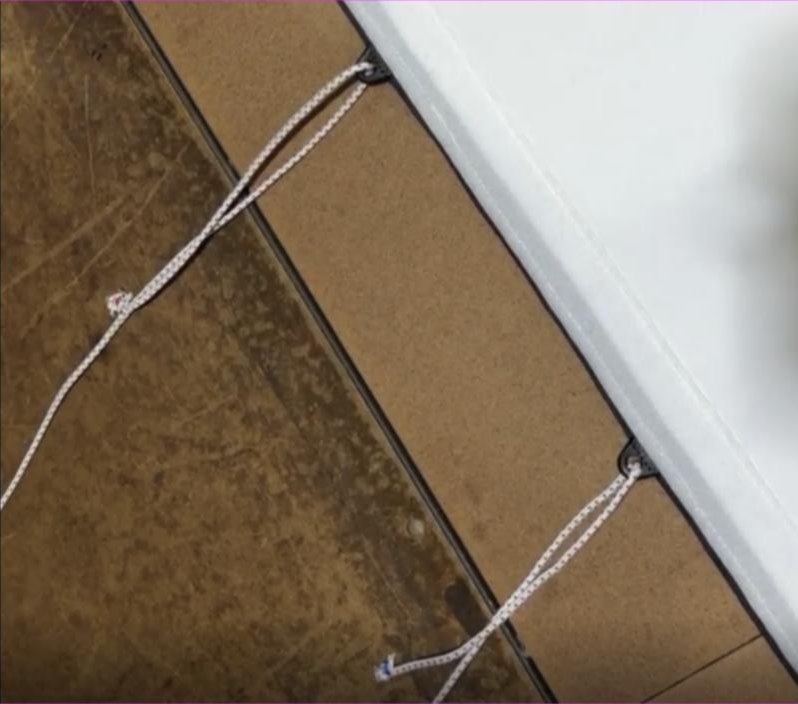
TruGrom™ replaces punched grommets with plastic loops sewn into reinforced webbing around the whole perimeter. That gives a more even pull along every edge and removes the isolated load points that cause puckering.
TruStrap™ uses webbing straps with a cinch clip. Each point can be tightened or released by hand, so you can take out one ripple without re-lacing a whole side.
Elite Golf Simulator Impact Screen is made to order for your opening, with your choice of edge finish, including rod and chain pockets along the bottom. A screen built to size means no excess fabric to bunch up. The Elite and High Contrast Elite triple-layer screens are made from a spacer fabric, which lets creases from folded shipping steam out.
Gap fillers and frame bumpers close the space between the screen edge and the frame and pad the frame. Custom gap fillers can be designed to size in the TruSim configurator.
Send us your frame's inside dimensions and how the bay is used, and we will recommend a screen size and edge finish together.
Unless otherwise specified, TruSim products are not tested for PFAS.
Frequently Asked Questions
Will the wrinkles in my new impact screen go away on their own?
Many will. Fold lines from shipping often relax within a few days to a few weeks of hanging under light, even tension. If they are still there after that, try gentle steaming and check that the tension is even on every side.
Can I steam or iron a golf simulator screen?
A handheld steamer is the usual method, and many screen makers recommend it with distilled water. Keep it moving and test a corner first. Avoid a clothes iron unless your screen maker says it is safe, because direct heat can damage the screen surface.
Why does my screen sag in the middle where the ball hits?
The fabric stretches every time it absorbs a strike, and some fabrics recover better than others. A soft dip in the main hitting zone is common and usually hard to see with the projector on. A backer layer behind the screen can reduce how far the screen travels on each strike.
Should the bottom of my screen be tied down to stop it bunching?
Hold it lightly. Fix the two bottom corners and use a weighted rod or pipe along the bottom to keep it straight. Tight bungees along the bottom remove ripples but cause hard bounce-back on low shots.
About this article. Written by the engineering team at TruSim Systems, the golf simulator division of Canwil Textiles, Inc., which has spent more than 23 years converting and sewing industrial fabrics in Auburn, Georgia. Spotted something wrong? Email [email protected] and we will fix it.